Built for Ethical Hackers.
Ready for Enterprises.
Helium Core integrates detection and exploitation in a single, high- performance environment designed for real-world validation.
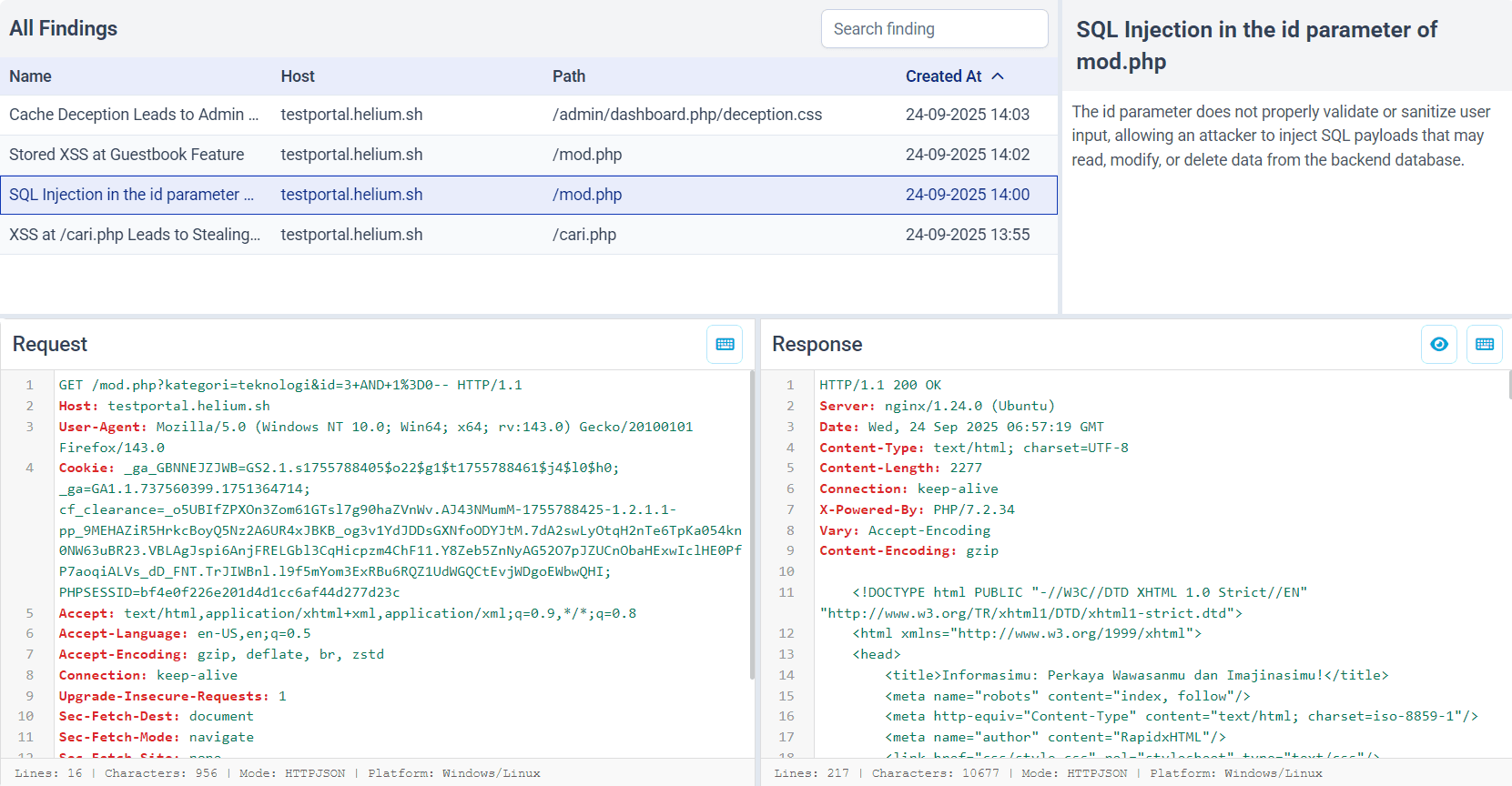
Findings
The Findings feature helps you highlight what really matters in the noise of web traffic. A Finding is created manually by right-clicking a request in the table or inside the raw request/response view. You’ll be prompted to enter a name and description, and once you hit Create, it will automatically appear in the Findings menu. Each Finding keeps the full context, including the request, response, and your notes. So you can quickly understand and track potential issues.
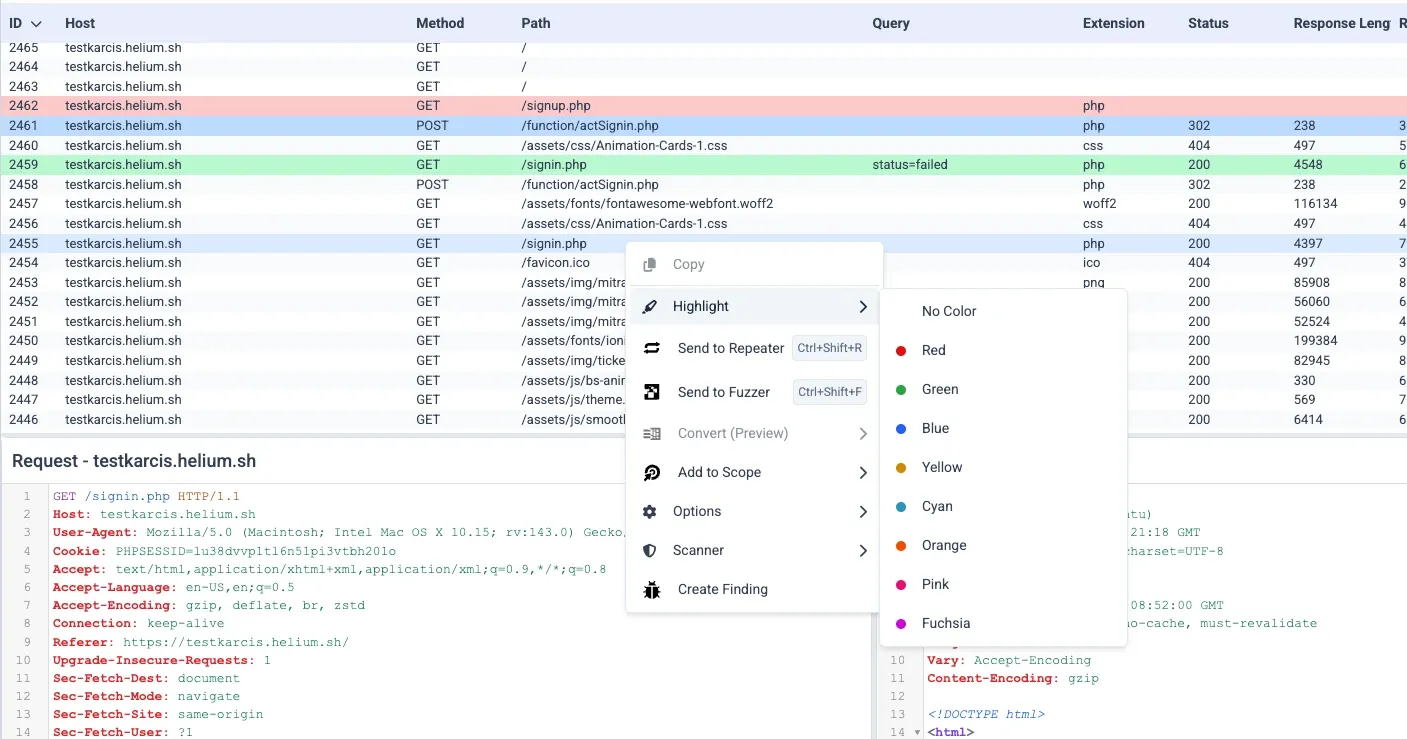
HTTP Request Highlighter
Allows you to visually mark specific HTTP requests in the traffic table by applying colors to their rows. This makes it much easier to spot important requests among the large volume of traffic that passes through the proxy.
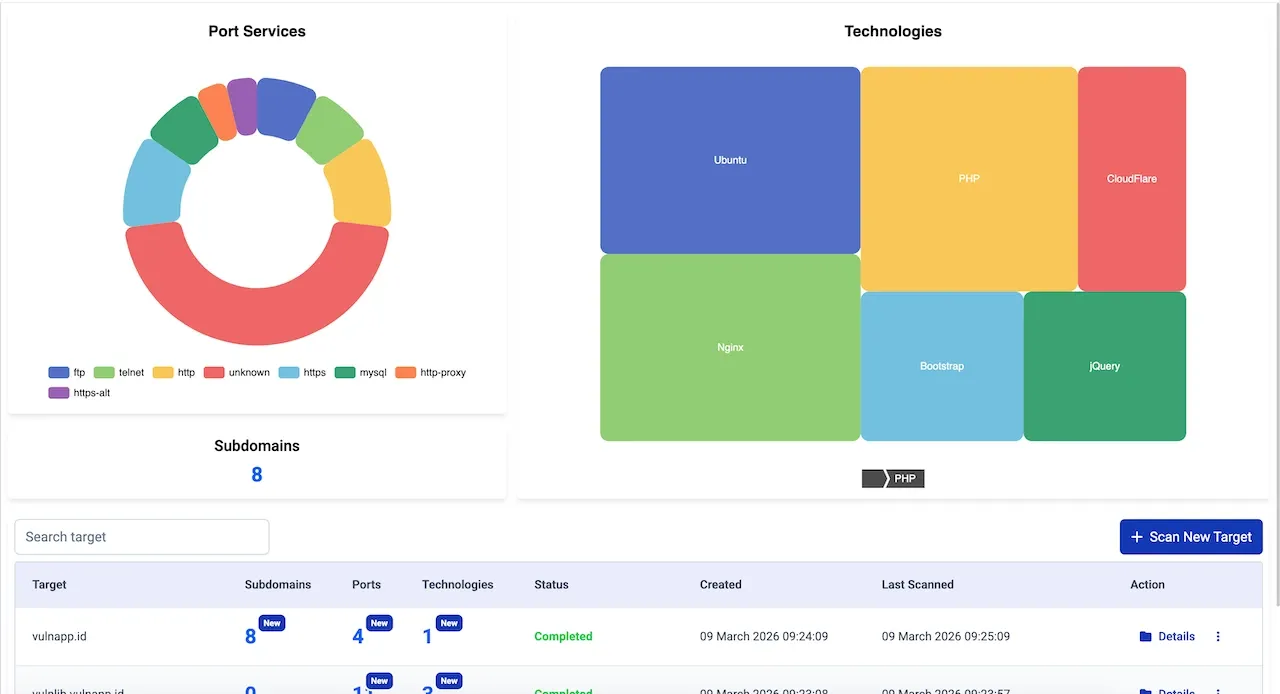
Attack Surface Mapper
Automatic detection of open ports, services, and running software from targets. Complete reconnaissance and asset discovery.
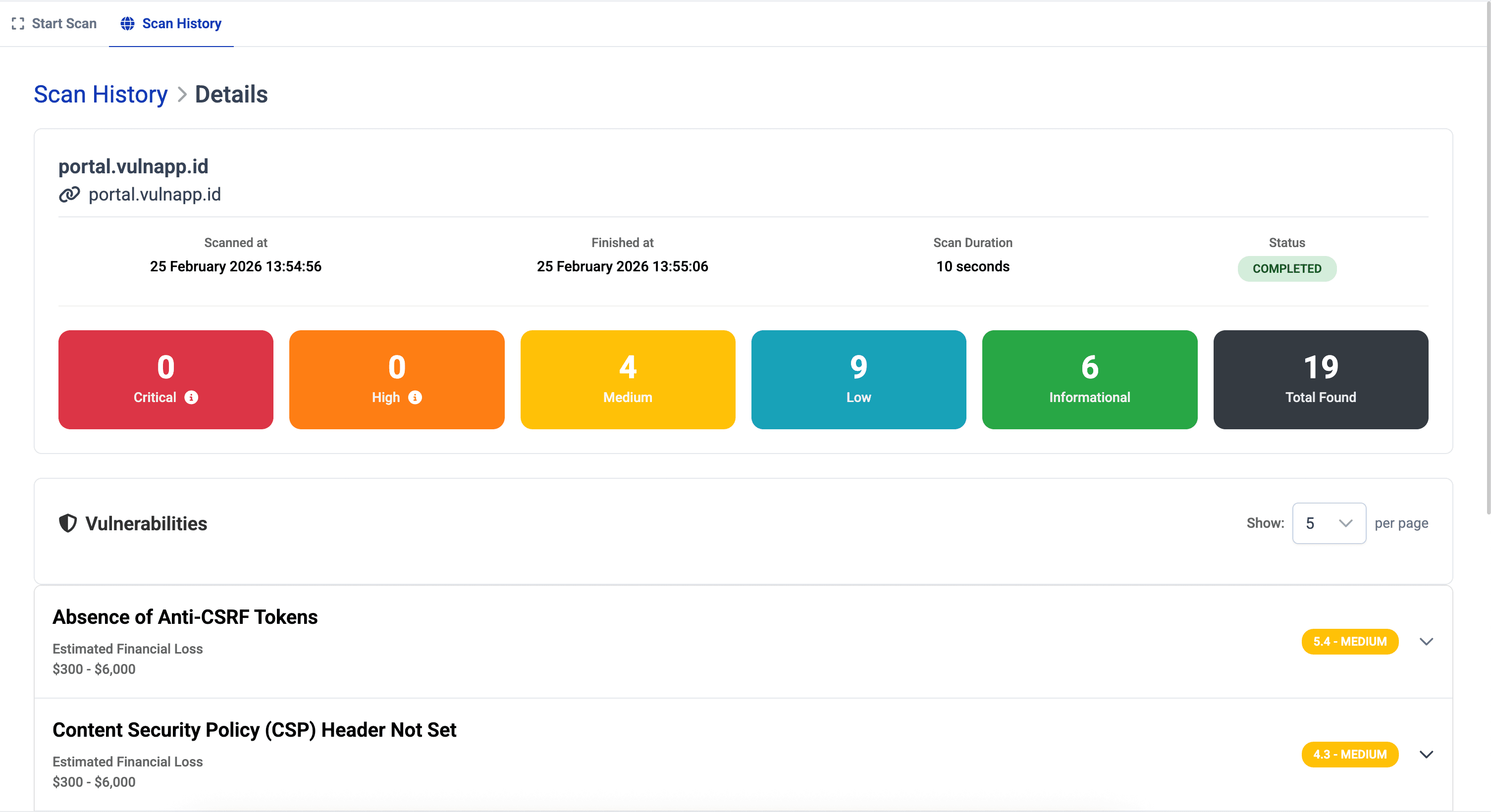
Website Scanner
Web Vulnerability Scanner automatically scans web application security by simulating real-world attack scenarios and evaluating each finding using the CVSS standard, complete with technical details, remediation recommendations, and compliance support.
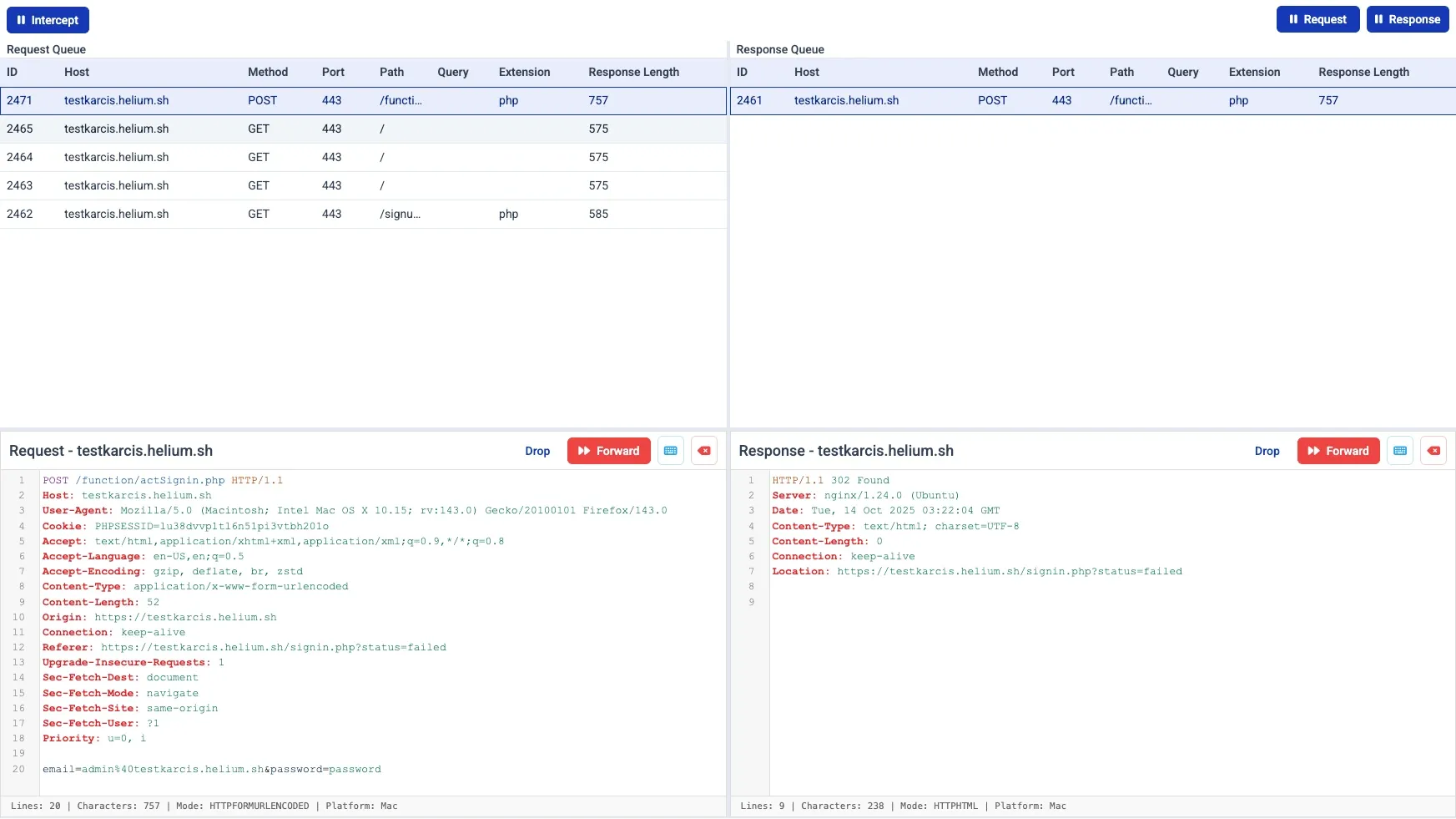
Intercept
Real-time HTTP request interception and analysis during browsing sessions. Monitor and analyze all network traffic with precision.
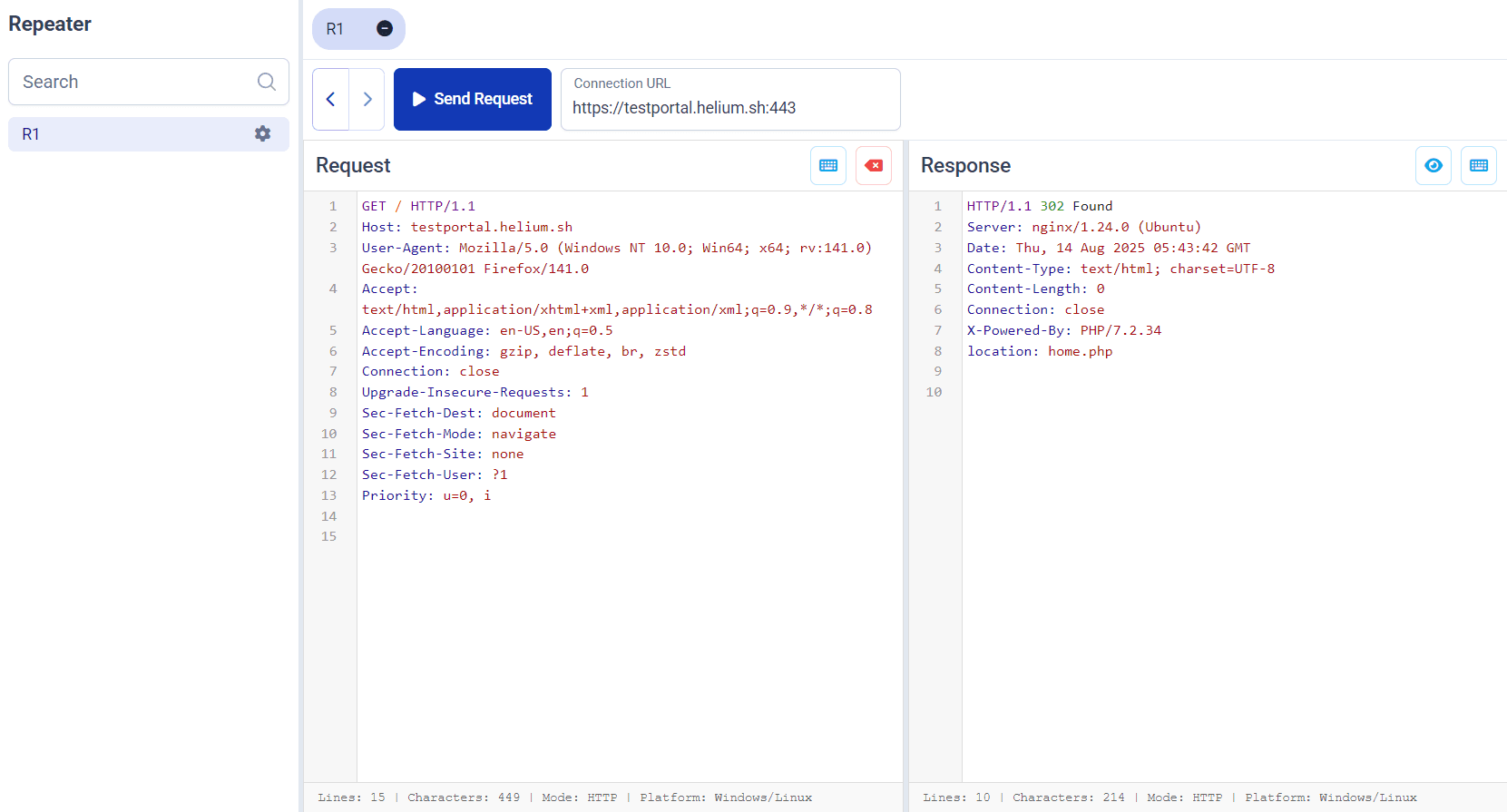
Repeater
Resend and modify existing requests for manual endpoint testing and analysis. Perfect for testing API endpoints and parameter manipulation.
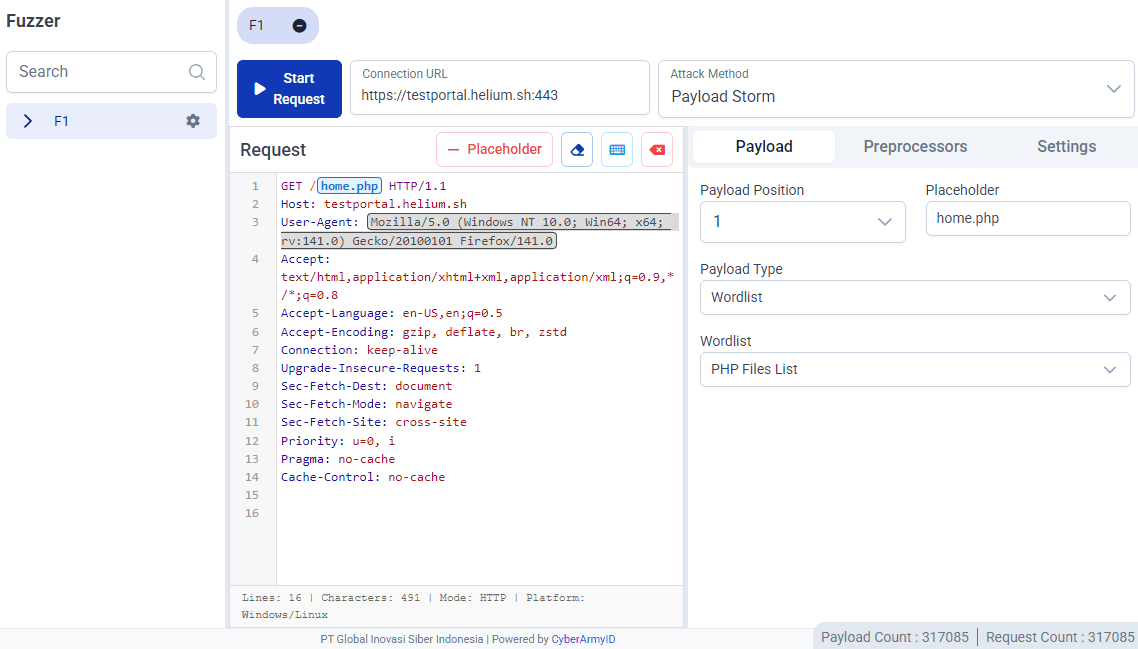
Fuzzer
No delays, just speed, fuzz faster than ever with advanced fuzzing algorithms, smart payload generation, and custom wordlists at your fingertips.
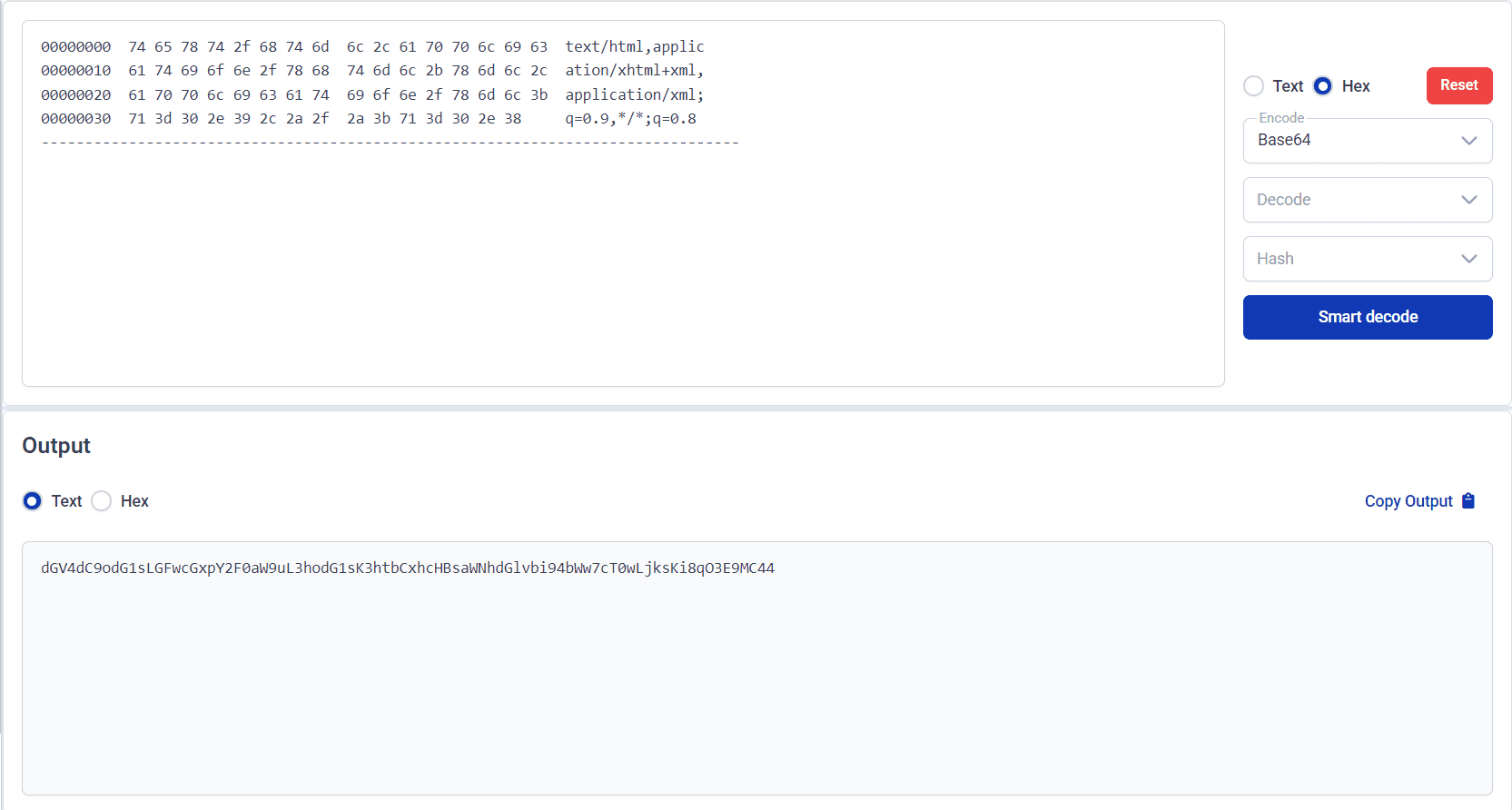
Smart Decoder
Custom encoders and decoders for various data formats and protocols. Handle multiple encoding schemes with ease.
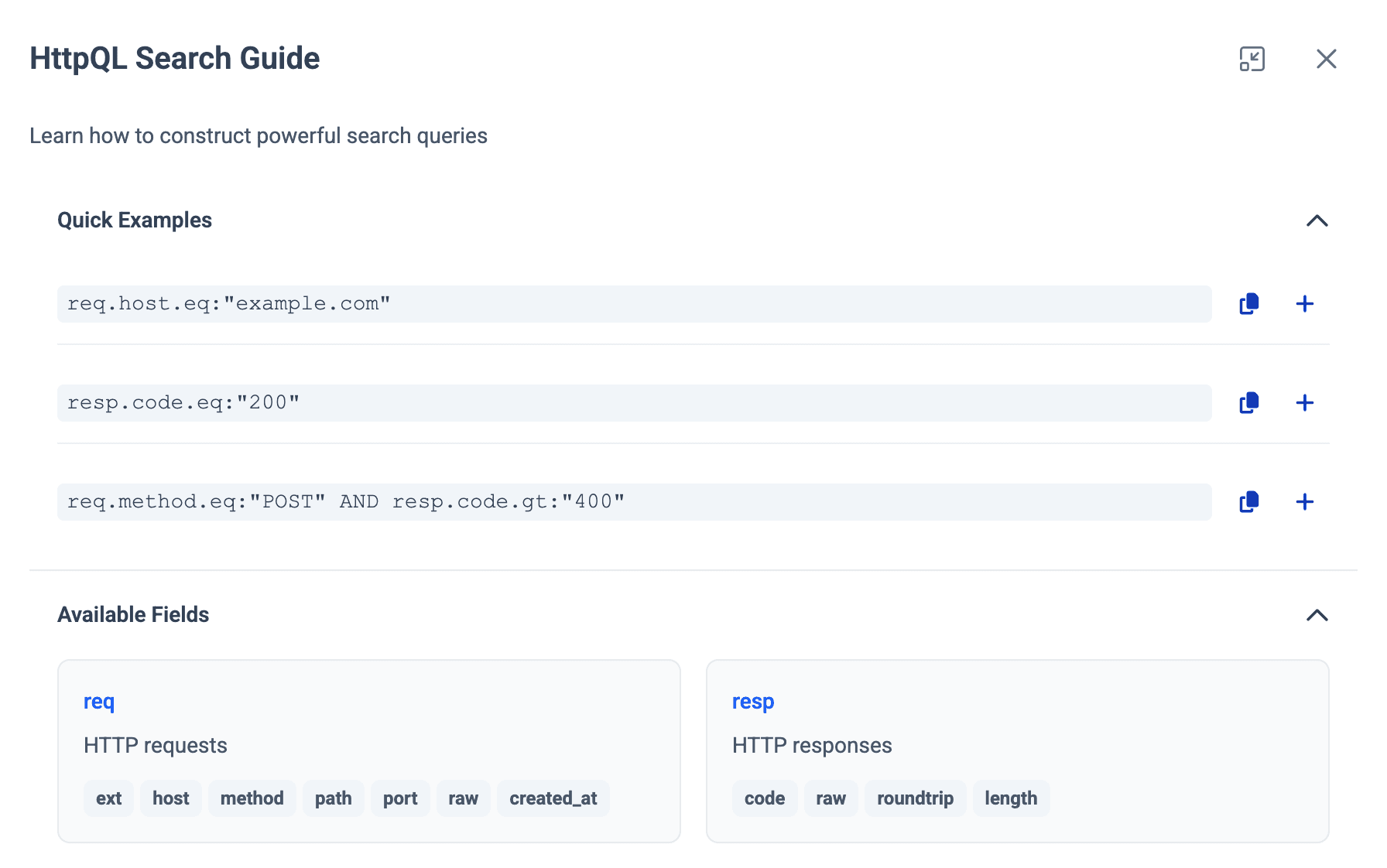
Search Smarter with HTTPQL
Helium Core delivers advanced query capabilities for HTTP requests and responses, making complex analysis simple.
Dark Mode
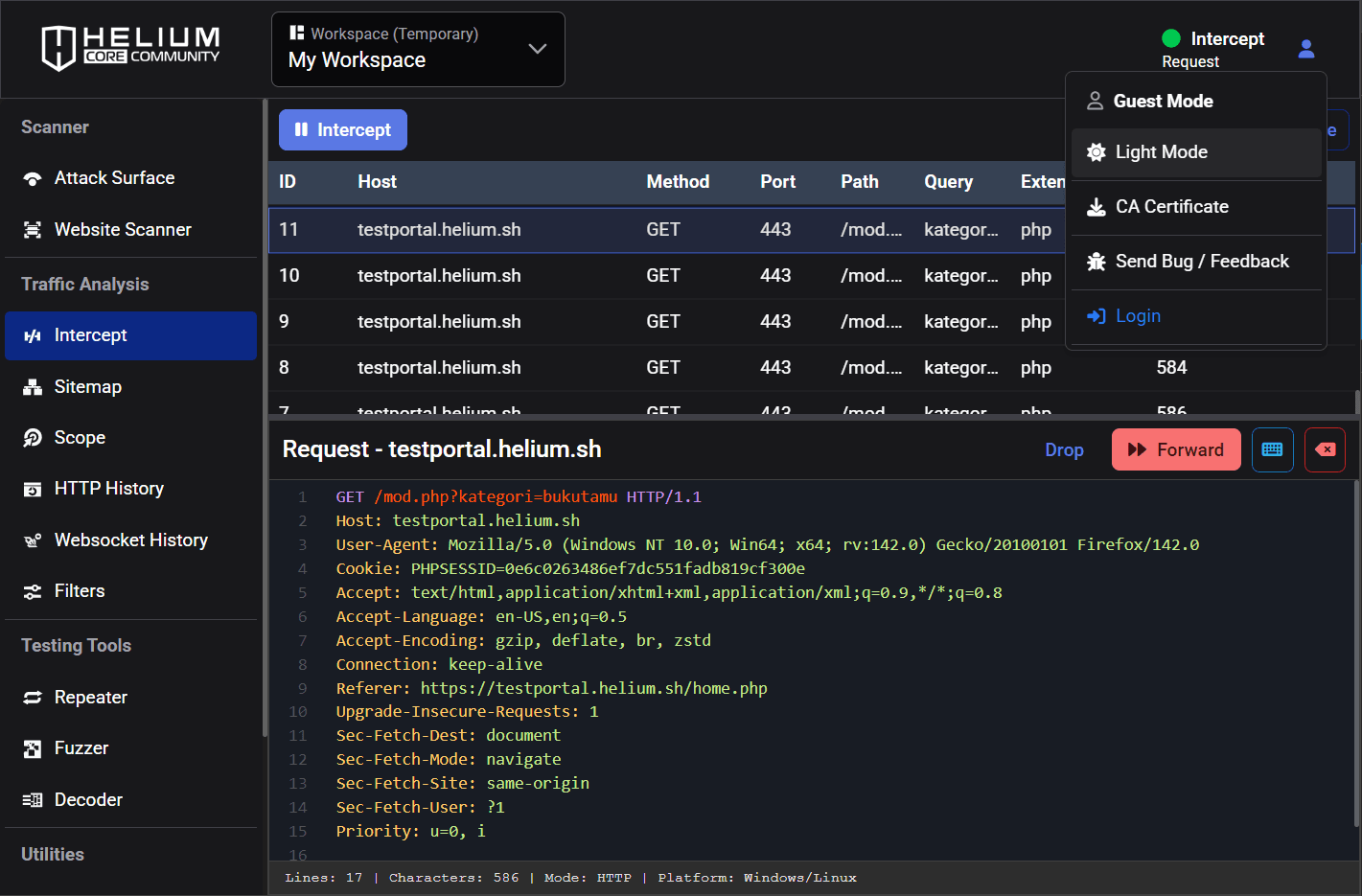
Switch to a darker interface that keeps your eyes relaxed and your workflow sharp. Whether you’re testing late at night or running long sessions, Dark Mode adapts to you.
Guest Mode
Guest Mode gives you full access to all features without creating an account. Work inside a secure temporary workspace that disappears on the next startup, including any data stored during the session. Perfect for quick testing, demos, or exploring the platform without commitment.

Compare Security Testing Workflows
See how Helium Core's unified approach differs from traditional fragmented tools.
| Feature Category | Helium Core Community Free | Burp Suite Community Free | Burp Suite Professional $499/year |
|---|---|---|---|
Advanced Fuzzing | Full Concurrency Control | Not available | Available |
Web Crawling & Vulnerability Scanning | Built-in Vulnerability Rules | No scanner | Available |
| Intelligent Web Spider | No crawler | Available | |
| Automatic Form Discovery | Not available | Available | |
| Security Headers Analysis | Manual only | Available | |
| Cookie Security Analysis | Manual only | Available | |
| Information Disclosure Detection | Manual only | Available | |
| Real-time Scan Progress | Not available | Available | |
Attack Surface Mapper | Port Discovery & Analysis | Not available | Not available |
| Subdomain Enumeration | Not available | Not available | |
| Web Technology Detection (5000+ signatures) | Manual only | Via extensions | |
| Service Enumeration | Not available | Not available | |
| Real-time Analytics Dashboard | Not available | Not available | |
| Subdomain Analytics | Not available | Not available | |
Data Management | Multi-Workspace System | Session only | Project files |
| Advanced Search (HTTPQL) | Not available | Available | |
| Filter Templates | Not available | Limited | |
| Workspace Export | Not available | Available | |
| Automatic Data Persistence | Session only | Available |